
Keeping important documents organized at home can save time, reduce stress, and make everyday tasks easier. Whether you need a birth certificate, insurance record, school document, or appliance receipt, a simple filing system helps you find it quickly.
The best system does not need to be expensive or complicated. With a few supplies, clear categories, and regular maintenance, you can create a document setup that works for your household.
Start by Gathering Every Document
Before choosing folders or storage containers, collect documents from around your home. Check desks, drawers, closets, bags, filing cabinets, and storage boxes. Look for papers that may be easy to overlook, such as warranties, user manuals, tax records, certificates, and instruction sheets.
Place everything in one temporary location. A table or clear area of the floor can work well. Avoid sorting documents in several rooms because papers can easily become separated or misplaced.
As you gather documents, remove obvious clutter, including:
– Blank forms that are no longer needed
– Old advertisements and promotional mail
– Duplicate copies
– Expired coupons
– Outdated instructions for items you no longer own
– Notes that have already been recorded elsewhere
If a document contains personal information, do not simply place it in the recycling bin. Shred sensitive papers or use a secure document disposal service.
Sort Documents Into Broad Categories
Once you have gathered your papers, sort them into broad groups. Start with categories that make sense for your household rather than creating too many narrow sections.
Useful categories may include:
– Personal records
– Home and property
– Insurance
– Vehicles
– Taxes and income
– Education
– Medical records
– Warranties and receipts
– Pets
– Travel and identification
– Household instructions
You can adjust these categories based on your needs. For example, a renter may use a “Rental Home” folder instead of a “Property” folder. A household with children may create separate folders for each child’s school and activity records.
Avoid sorting every paper into a unique category. Too many sections can make the system harder to use. The goal is to create clear groups that help you locate documents without having to remember an overly detailed filing structure.
Create a Current Documents File
Some papers are needed more often than others. Keep frequently used documents in a separate “Current” or “Active” file so they are easy to reach.
This file might include:
– Current insurance information
– School forms
– Recent service records
– Current lease or household agreements
– Travel documents for upcoming trips
– Warranty information for recently purchased items
– Forms that need to be completed or returned
Review this file regularly. Move documents to permanent storage when they are no longer active, and remove papers that are no longer needed.
A small desktop file box or portable accordion folder can be useful for active papers. Choose something that is easy to access but not so visible that private information is left exposed.
Use a Consistent Filing System
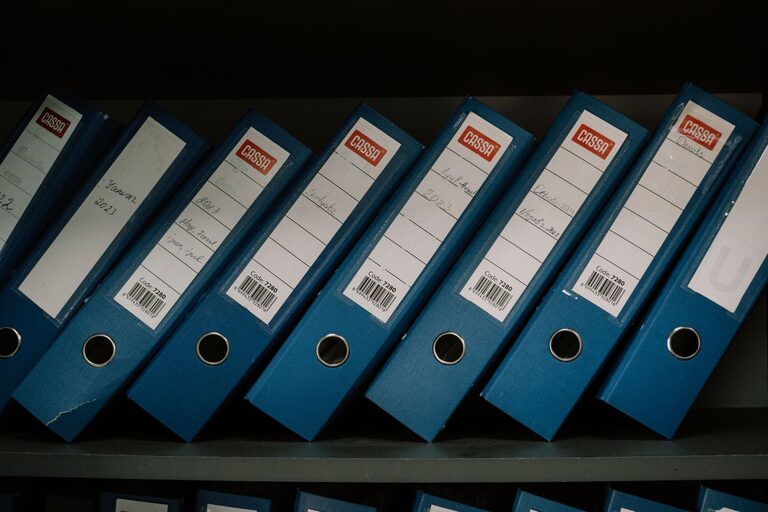
Choose one filing method and use it consistently. A basic file box, a filing cabinet, or labeled document binders can all work well.
For a file box or cabinet, arrange folders alphabetically or by category. For binders, use dividers with large, readable labels. If you share the system with other household members, make the labels easy for everyone to understand.
Consider adding subfolders only when necessary. For example, a “Home” folder could include subfolders for:
– Lease or ownership documents
– Repairs and maintenance
– Utility information
– Warranties
– Renovation records
Use the same naming style throughout the system. Labels such as “Car Insurance,” “Home Insurance,” and “Travel Records” are easier to scan than long descriptions.
Separate Permanent and Temporary Records
Not every document needs to be stored forever. Create separate areas for permanent records, temporary records, and documents that need action.
A simple three-part setup can include:
Permanent Records
These are documents you may need for many years, such as certificates, identification records, completed legal agreements, and major ownership records.
Temporary Records
These are useful for a limited period, such as recent bills, current policies, receipts, and repair records. Review them according to your household needs and any applicable recordkeeping guidance.
Action Needed
This folder is for documents that require a response, signature, payment, appointment, or follow-up. Check it once or twice a week so papers do not sit unnoticed.
Keeping action items separate from reference documents prevents important tasks from being buried in a large filing system.
Protect Important Paper Records
Store important documents in a cool, dry location away from direct sunlight, moisture, and areas with a high risk of leaks. Avoid placing papers on the floor, under sinks, or in a garage where temperature and humidity may change significantly.
For documents that are difficult or time-consuming to replace, consider using a fire-resistant and water-resistant document container. Keep the container in a location that household members can access when needed.
Do not place all important records in one unprotected spot. You may want to store copies of selected documents separately from the originals. Make sure copies are clearly marked so they are not mistaken for original records.
Make Digital Copies Carefully
Digital copies can make documents easier to access, especially when you are away from home. Scan or photograph important papers and save them in clearly labeled folders.
A useful digital folder structure might include:
– Personal
– Home
– Insurance
– Vehicles
– Education
– Receipts
– Warranties
– Travel
Use clear file names that include the document type and date, such as “Appliance Warranty Washer 2026” or “Auto Insurance Policy 2026.” Avoid saving files with names like “scan001” because they are difficult to identify later.
Protect digital files with strong passwords and device security. If you use cloud storage, choose a trusted service and enable available security features. Keep at least one backup, and check occasionally that files can still be opened.
Digital copies should support your paper system, not create another confusing collection. Delete duplicate scans and update files when documents change.
Set a Regular Review Schedule
Even a well-organized system can become cluttered over time. Set aside a short period every few months to review your files.
During each review:
- Remove documents that are no longer useful.
- Move completed action items to the correct folder.
- Replace outdated versions with current ones.
- Check that labels are still accurate.
- Update digital copies and backups.
- Look for documents that need attention.
A seasonal review may be enough for many households. You can also schedule a quick check at the beginning of the year, during a home cleaning project, or after a major move.
Make the System Easy for Everyone
An organization system only works when people use it. Show household members where important files are stored and explain the basic categories.
Keep commonly used supplies nearby, including folders, labels, pens, and a shredder or secure disposal container. When filing a new document takes only a few seconds, it is easier to avoid paper piles.
Finally, keep the system flexible. Your household needs may change, so update categories and storage methods when necessary. The best document organization system is one that is simple, secure, and easy to maintain.