
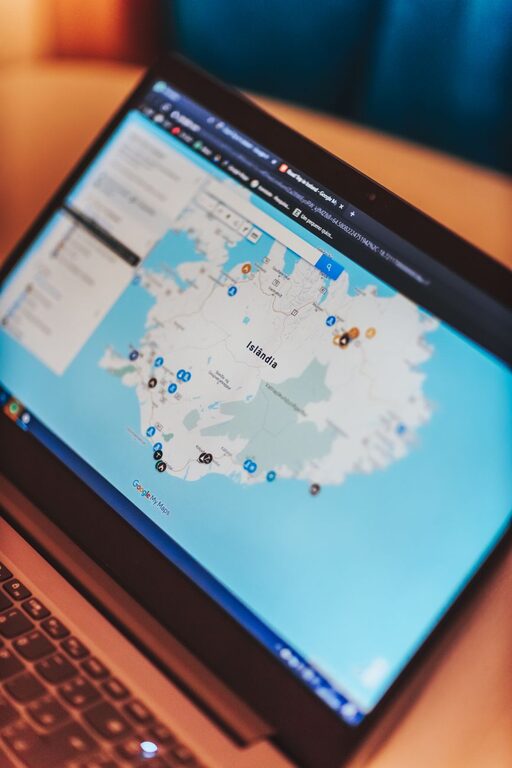
Online maps have changed the way people travel. Whether you are planning a road trip, walking through a new city, or looking for a nearby restaurant, a mapping app can help you find your way and make better decisions along the route.
However, online maps work best when you use them thoughtfully. Map information can change, mobile service may be limited, and the fastest route is not always the most comfortable or suitable one. With a few simple habits, you can use online maps to travel more safely, save time, and reduce unnecessary stress.
Choose the Right Mapping App
Many online mapping tools offer similar features, but each may be better suited to a particular type of travel. Before your trip, compare the options available on your phone or tablet.
Look for features such as:
– Driving, walking, cycling, and public transportation directions
– Real-time traffic updates
– Business hours and contact information
– Reviews and photos
– Offline map downloads
– Road closures and travel alerts
– Location sharing
– Street-level images
– Accessible route options
You do not need several apps for every journey. One main map app, plus a backup option if needed, is usually enough. Test the app before traveling so you know how to search for places, change travel modes, and adjust route settings.
Plan Your Route Before You Leave
A few minutes of planning can make a major difference. Search for your destination before starting your journey and review the suggested routes. Do not simply select the first option.
Check:
– The total travel time
– The distance
– Tolls or restricted roads
– Transfers on public transportation
– Walking sections
– Expected traffic
– Opening hours at your destination
– Parking availability
– Areas where mobile service may be limited
If you are driving, identify a few useful stops along the way. These might include fuel stations, rest areas, grocery stores, or public facilities. If you are walking, note nearby landmarks and well-used streets that can help you stay oriented.
Save important locations, such as your hotel, train station, airport, rental car office, and meeting points. This makes them easier to find later without entering the full address again.
Download Maps for Offline Use
Mobile data is not available everywhere. You may lose service in rural areas, underground stations, mountain regions, tunnels, or crowded locations. Downloading an offline map can help you continue navigating when your connection is weak or unavailable.
Before downloading, make sure the map covers the entire area you expect to visit. Offline maps often include basic directions and place searches, but some features may not work without an internet connection. Live traffic, current business information, and some public transportation updates may require service.
Follow these steps:
- Connect to a reliable Wi-Fi network.
- Open the map app and search for the destination or region.
- Select the option to download an offline map.
- Confirm that there is enough storage space on your device.
- Test the downloaded map by switching off mobile data temporarily.
Also charge your phone before leaving and consider carrying a portable battery. A downloaded map is useful only if your device has enough power to display it.
Verify Important Information
Online maps are helpful, but they are not always perfect. Roads can close, businesses can move, and opening hours can change. A route may also be technically available but unsuitable because of construction, weather, local restrictions, or poor road conditions.
For important plans, confirm key details through another source. Check the official website of a transit service, attraction, hotel, park, or event venue. You can also call ahead when timing matters.
Pay special attention to:
– Temporary road closures
– Construction zones
– Seasonal opening hours
– Transit service changes
– Parking restrictions
– Entrance locations
– Ferry or shuttle schedules
– Areas with limited access
If the map and the official source disagree, treat the official source as the better guide for current operating information.
Use Location Sharing Carefully
Many mapping apps allow you to share your live location or estimated arrival time with another person. This can be useful when meeting someone, taking a long drive, or traveling in an unfamiliar area.
Share your location with a trusted contact and choose a suitable time limit. There is usually no need to leave location sharing active for an entire trip. Turn it off when you no longer need it.
You can also send a simple message with:
– Your current location
– Your planned destination
– Your expected arrival time
– The route you intend to take
– A backup contact method
Avoid sharing your location publicly or with people you do not know. Review the app’s privacy settings and understand which information is being shared.
Stay Aware of Your Surroundings
A map should support your judgment, not replace it. Looking down at a phone while walking can make it harder to notice traffic, uneven surfaces, bicycles, or other hazards. If you need to check directions, stop in a safe place before using your device.
When walking or driving:
– Keep your attention on the environment.
– Use voice directions when appropriate.
– Set up navigation before moving.
– Avoid making route changes while driving.
– Follow road signs and local instructions.
– Do not enter private property or restricted areas because a map suggests it.
– Ask a local authority or staff member if conditions seem unclear.
A route that appears short on a screen may include a steep path, an unlit road, a busy intersection, or an area that is difficult to access. Consider comfort and visibility, not just distance.
Review Walking and Driving Settings
Mapping apps often offer route preferences that can improve your trip. Explore these settings before beginning your journey.
For driving, you may be able to avoid:
– Tolls
– Highways
– Ferries
– Unpaved roads
– Restricted areas
For walking, look for options related to accessibility, hills, stairs, and quieter streets. For cycling, check whether the app includes bike lanes, trails, and elevation information.
Remember that route settings are suggestions rather than guarantees. A route marked as accessible, for example, may still have temporary obstacles. Use current signs and local information to confirm conditions.
Keep a Backup Plan
Even well-planned trips can change. Your phone may lose power, a road may close, or a transit service may be delayed. A simple backup plan can help you stay calm.
Save or write down:
– Your accommodation address
– Important phone numbers
– Departure and arrival times
– Nearby landmarks
– A second route
– The name of the nearest station or major road
You can also take screenshots of key directions or booking details. Keep them available on your device so you can view them without opening the map app.
For longer journeys, tell someone you trust about your general plans. If you change your route significantly, update them when practical.
Make Maps Work for You
Online maps are most useful when combined with preparation, local awareness, and common sense. Use them to compare routes, find practical services, save important places, and prepare for areas with limited connectivity. At the same time, confirm time-sensitive details and stay alert to conditions that a screen may not show.
Before leaving, download the necessary map, charge your phone, review the route, and save your destination. During the journey, follow signs, watch your surroundings, and adjust your plans when needed. These simple steps can make online maps a reliable tool for safer, easier travel.