
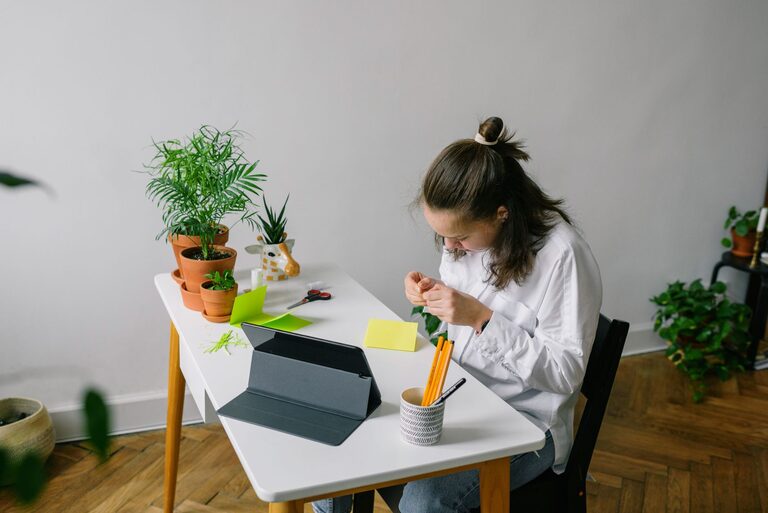
A dedicated home workspace can make hobbies and learning more enjoyable, consistent, and rewarding. Whether you enjoy drawing, writing, model building, music, reading, or online courses, a well-planned area gives you a place to focus and keep your supplies ready.
You do not need a large room or an expensive setup. With thoughtful planning, a small corner, spare table, or unused shelf can become a practical workspace. The key is to create an area that fits your activities, supports good habits, and can be adjusted over time.
Choose the Right Location
Start by considering where you can work comfortably and regularly. A quiet room is helpful, but it is not essential. You might use a corner of a bedroom, a dining table, a home office, or part of a living room.
Look for a location with:
– Enough room for your main activity
– Good lighting during the hours you plan to work
– Easy access to power outlets if needed
– A comfortable temperature and airflow
– Limited distractions
– Space to store frequently used supplies
Think about how your workspace will fit into your daily routine. If you want to practice a hobby in the evening, choose a location that is easy to reach after work or school. If you share your home with others, consider an area where your materials can stay organized without getting in the way.
Select a Suitable Work Surface
Your work surface should match the type of hobby or learning activity you plan to do. A compact desk may be enough for reading, writing, or using a laptop. A larger table is more useful for crafts, puzzles, painting, or projects that require several tools.
When choosing a desk or table, check that:
– It provides enough space for your current project
– The height feels comfortable when you sit
– The surface is easy to clean
– It can support your equipment and supplies
– You can keep essential items within reach
If space is limited, use a folding table, wall-mounted desk, or portable lap desk. A rolling cart can also provide extra workspace and storage while allowing you to move supplies when necessary.
Focus on Comfortable Seating
Comfort can affect how long you can work and how enjoyable the activity feels. Choose a chair that allows you to sit with your feet supported and your shoulders relaxed. Your work surface should let you use your hands without raising or lowering your arms uncomfortably.
You do not have to purchase specialized furniture. A supportive dining chair may work well, especially if you add a cushion for extra comfort. If you spend long periods reading or using a computer, adjust your seating so that you can change position regularly.
Take short breaks during longer sessions. Stand up, stretch, or walk around before returning to your project. These simple habits can help you stay comfortable and refreshed.
Create Effective Lighting
Good lighting makes details easier to see and can make the workspace feel more welcoming. Natural light is useful during the day, but your workspace should also have a reliable lamp for cloudy days and evening activities.
Consider using:
– A desk lamp for focused tasks
– An adjustable lamp for drawing or crafts
– A soft overhead light for general visibility
– A clip-on light for small or temporary workspaces
Place lamps so they do not create glare or cast shadows over your work. If you write or draw by hand, position the light on the opposite side of your writing hand when possible. This can help reduce shadows across the page.
Organize Supplies by Activity
An organized workspace is easier to use and easier to maintain. Instead of storing everything in one large container, group supplies by activity or purpose. For example, keep drawing tools together, reading materials in one location, and electronics accessories in another.
Useful storage options include:
– Small boxes for tools and accessories
– Drawer organizers for pens, cables, and stationery
– Open shelves for books and reference materials
– File holders for notes and printed projects
– Clear containers for craft supplies
– A rolling cart for materials used in several rooms
Label containers when helpful, especially if you have many similar items. Store frequently used supplies at arm’s length and place occasional-use items on higher shelves or in a nearby cabinet.
Leave some empty space in your storage system. A workspace becomes difficult to manage when every shelf and container is completely full.
Set Up Technology Carefully
Many learning activities use a laptop, tablet, headphones, or other equipment. Keep technology convenient without allowing cables and devices to take over the workspace.
Use simple cable management methods, such as:
– Clips to guide cords along the back of a desk
– A small box for chargers
– Labels for similar cables
– A power strip placed where it is easy to reach
– A stand to raise a laptop or tablet to a more comfortable height
Keep drinks and materials that could damage electronics away from devices. When possible, create a separate area for digital equipment and hands-on supplies. This makes it easier to switch between activities without clearing the entire desk.
Make the Space Easy to Reset
A workspace should support both starting and finishing. If it takes too long to prepare, you may be less likely to use it. Create a simple reset routine that takes only a few minutes.
At the end of each session:
- Return tools to their usual containers.
- Dispose of scraps and unwanted papers.
- Save digital files with clear names.
- Write down the next step in your project.
- Wipe the work surface if needed.
- Place unfinished work in a designated tray or folder.
A project tray is especially useful for hobbies that cannot be completed in one sitting. It allows you to keep current materials together while leaving the main surface available for other tasks.
Add Personal Touches
Your workspace should be practical, but it can also reflect your interests. Add a few items that make the area pleasant and encourage you to return.
You might include:
– A small plant
– A calendar or planning board
– A favorite print or photograph
– A display area for completed projects
– A comfortable cushion
– A notebook for ideas and progress
Keep decorations limited if they become distracting. The goal is to create an environment that feels inviting without reducing the space available for your work.
Build a Flexible Routine
A workspace is most useful when you use it regularly. Set realistic goals, such as reading for twenty minutes, practicing a skill twice a week, or completing one small project each weekend.
Use a simple schedule or checklist to track your activities. Breaking a large goal into smaller steps can make learning feel more manageable. For example, instead of planning to “learn photography,” schedule separate sessions for understanding camera settings, practicing composition, and reviewing your results.
Review your workspace after a few weeks. You may discover that certain supplies are rarely used, that the lighting needs improvement, or that you need more space for a particular activity. Make small changes as your interests develop.
Final Thoughts
A successful home workspace does not need to be large, costly, or permanent. It needs to be comfortable, organized, and suited to the way you enjoy learning and creating.
Start with the basics: a suitable surface, comfortable seating, useful lighting, and simple storage. Then add tools and personal touches that support your hobbies. By keeping the area easy to use and easy to reset, you can create a space that encourages steady progress and makes time for your interests a regular part of home life.