
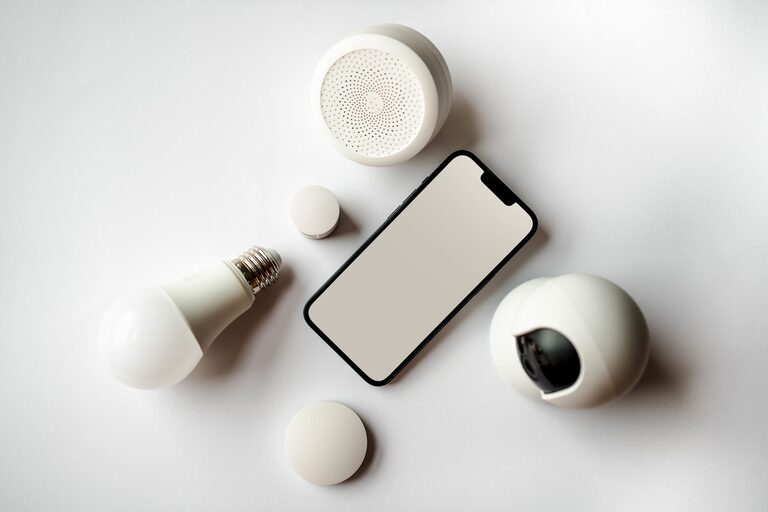
Smart home technology is no longer limited to luxury features or complicated systems. Many devices are now designed to handle simple, everyday tasks, such as turning off lights, adjusting the temperature, checking who is at the door, or starting a cleaning routine.
The best smart home devices are practical, easy to use, and helpful without requiring constant attention. Whether you live in a house, apartment, or small space, the right devices can make daily routines smoother and more convenient.
1. Smart Speakers and Displays
Smart speakers are often the starting point for a connected home. They can respond to voice commands, play music, set timers, answer basic questions, and control compatible devices.
A smart display adds a screen, making it useful for checking calendars, viewing recipes, watching tutorials, or seeing a camera feed. For example, you might ask a smart display to show a cooking timer while your hands are busy preparing a meal.
Everyday uses
– Set reminders for appointments or household tasks
– Create timers for cooking, laundry, or breaks
– Play music, podcasts, or audiobooks
– Add items to a shopping list
– Control compatible lights, plugs, and thermostats
– Make announcements between rooms
Voice controls can be especially useful when you are carrying groceries, cleaning, or helping children with a task. To get the best results, choose a device that works with the smart products you already own or plan to buy.
2. Smart Lighting
Smart bulbs and switches make it easier to control lighting throughout your home. Instead of walking from room to room, you can use an app, voice command, schedule, or automated routine.
Smart lighting can also help create useful settings for different parts of the day. A bright setting may be helpful when working or cleaning, while a softer setting can make evenings feel more comfortable.
Helpful lighting features
– Turn lights on or off remotely
– Create schedules for regular routines
– Adjust brightness and, with some products, color
– Group several lights together
– Set lights to react to motion
– Use vacation schedules to make an occupied home appear active
Smart switches are a good option for ceiling lights or fixtures that use standard bulbs. Smart bulbs are often easier to install, but they need to remain connected to power in order to respond to app or voice commands.
3. Smart Plugs
Smart plugs are a simple way to add connected features to ordinary appliances. You plug the smart device into a wall outlet, then connect a lamp, fan, coffee maker, or other suitable appliance to it.
These plugs are useful for appliances that have a physical on and off switch. A smart plug can then control when the appliance receives power.
Common uses for smart plugs
– Turn a lamp on at a set time
– Schedule a fan to run during certain hours
– Switch holiday lights on and off automatically
– Control small appliances from a phone
– Turn off devices that are not needed overnight
Before using a smart plug, check the product instructions and the appliance’s power requirements. Some appliances should not be controlled with a smart plug, especially those that use heating elements or require manual supervision.
4. Smart Thermostats
A smart thermostat can simplify temperature control and help you manage heating and cooling routines. Many models allow you to adjust settings from a phone, create schedules, and receive reminders about filter changes or system maintenance.
Some smart thermostats can learn household patterns or detect when people are home. Others use room sensors to provide more balanced temperature readings in different areas.
Features to consider
– Easy-to-read controls
– Scheduling options
– Remote access through a mobile app
– Compatibility with your heating and cooling system
– Room sensors
– Energy use reports
Installation requirements vary, so it is important to check compatibility before purchasing. If you are unsure whether a thermostat will work with your system, review the manufacturer’s guide or ask a qualified installer.
5. Robot Vacuums and Mops
Robot vacuums can handle routine floor cleaning with minimal effort. Many models can map rooms, avoid certain areas, return to their charging station, and follow a schedule.
Some devices also include mopping features. These can be useful for maintaining hard floors between deeper cleaning sessions.
Tips for better results
– Remove small objects and loose cords from the floor
– Keep charging areas clear
– Empty the dustbin regularly
– Clean brushes and filters as recommended
– Use no-go zones around delicate items or areas with loose rugs
Robot cleaners are most helpful when used as part of a regular routine. They may not replace a full manual cleaning, but they can reduce the amount of everyday dust and debris.
6. Video Doorbells and Smart Cameras
Video doorbells and indoor or outdoor cameras can help you check activity around your home. A video doorbell may show who is at the door, while a camera can help you monitor a room, entryway, or outdoor area.
Many products offer motion notifications, two-way audio, and recorded clips. These features can be convenient when you are expecting a delivery or want to check activity while away.
Privacy should be a key consideration. Choose strong passwords, enable available security features, and position cameras carefully. Avoid placing cameras in private areas, and review how the manufacturer stores and handles recordings.
7. Smart Locks
Smart locks can make entry easier by allowing you to use a code, phone, fingerprint, or traditional key, depending on the model. They can be helpful when your hands are full or when you need to provide temporary access to a guest.
Some smart locks can send notifications when the door is locked or unlocked. You may also be able to create individual access codes for family members, visitors, or service providers.
When selecting a smart lock, consider battery life, emergency access options, compatibility with your existing door, and whether you want to keep a physical key as a backup.
8. Smart Leak Sensors and Smoke Alarms
Small sensors can provide helpful alerts about conditions that may need quick attention. Water leak sensors can notify you when moisture is detected near a sink, water heater, washing machine, or basement area.
Connected smoke and carbon monoxide alarms may send alerts to your phone in addition to sounding a local alarm. These devices should be installed and maintained according to the manufacturer’s instructions. Smart features should supplement, not replace, regular testing and battery checks.
Choosing the Right Devices
You do not need to automate your entire home at once. Start with a task that regularly takes time or gets forgotten. A smart plug may be enough for a lamp, while a smart speaker could help organize reminders and routines.
Before buying, check:
– Whether the device works with your phone and existing products
– How it connects to your home network
– Whether a subscription is required
– How updates and privacy settings are handled
– What happens if the internet connection is unavailable
– How the device is powered and maintained
It is also helpful to choose products that use a shared smart home platform. This can make it easier to create routines, control several devices, and avoid managing many separate apps.
Build Simple Routines
The real benefit of smart home technology often comes from combining devices. For example, a morning routine could gradually turn on bedroom lights, provide a weather update, and adjust the thermostat. An evening routine could turn off selected lights, lock the door, and lower the temperature.
Start with one or two useful routines and adjust them over time. Smart home devices work best when they fit naturally into your habits rather than adding more steps to your day.
With thoughtful choices, smart technology can make ordinary household tasks easier while keeping control in your hands.